Async/Await in JavaScript: Writing Cleaner Asynchronous Code
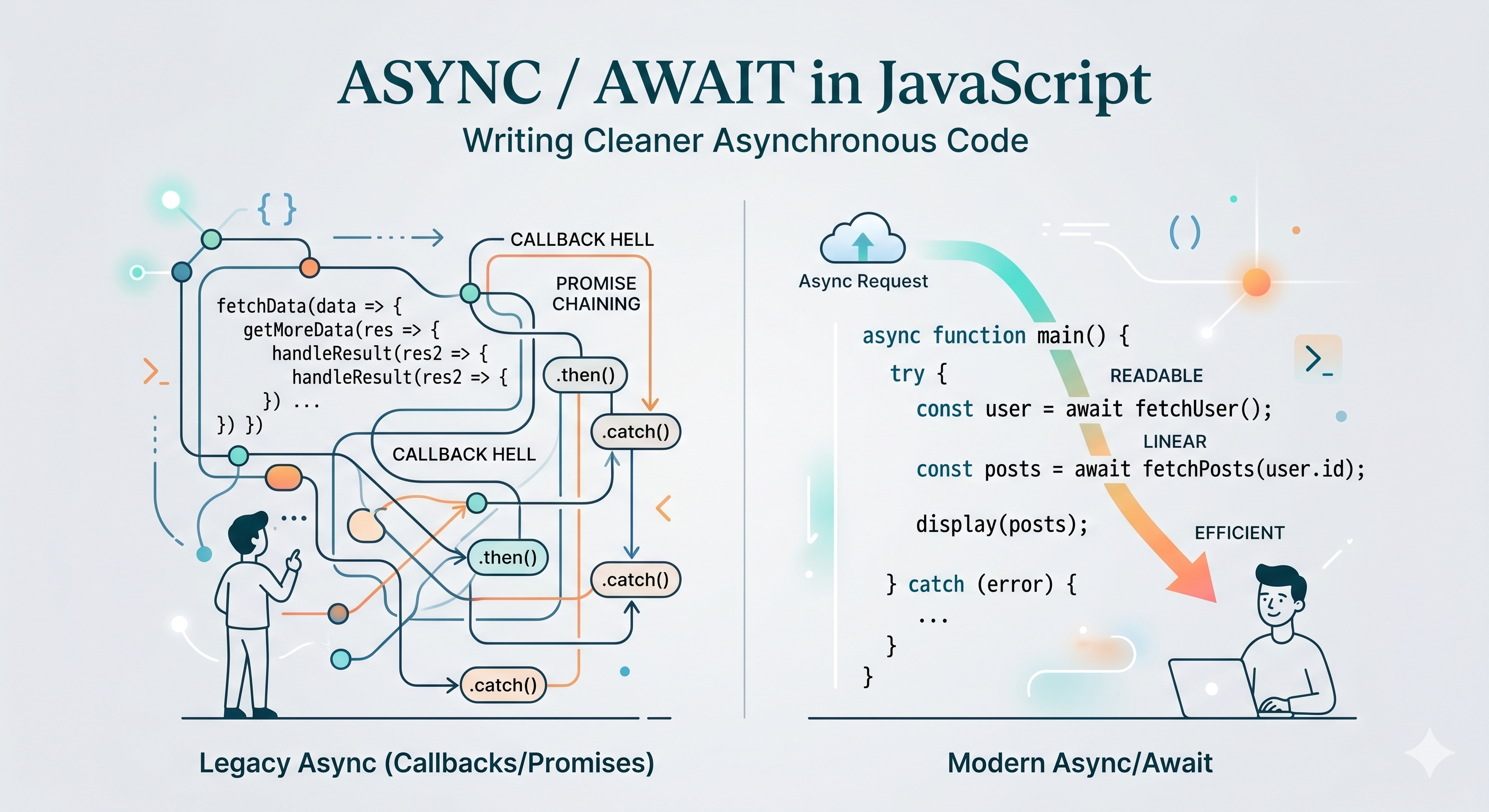
Promises were a significant improvement over callbacks. They gave asynchronous code a linear structure, replaced deeply nested functions with flat chains, and unified error handling in a single .catch(). For many developers, promises felt like the problem was finally solved.
Then async/await arrived and made everyone realize the problem could be solved even more cleanly.
Async/await did not replace promises. It was built on top of them. What it changed was how asynchronous code looks and feels when you read it, and that turned out to matter more than most people expected.
Why Async/Await Was Introduced
Promise chains are readable, but they still carry the weight of their own syntax. Every step needs a .then(). The callback passed to each .then() creates its own function scope. Returning values from inside those callbacks, passing data from one step to the next, requires careful attention to what each .then() returns and receives.
Consider fetching a user and then fetching their posts. With promises, you chain two requests, pass the user forward into the next callback, and eventually have what you need. The code works and reads top to bottom, but the .then() wrappers and function nesting are still there. You are always one level removed from the values themselves.
The deeper problem is that asynchronous code and synchronous code look fundamentally different. Reading a codebase that mixes both requires constant mental switching. You read some ordinary code, then hit a promise chain, and your brain shifts into a different mode to follow the flow.
Async/await closes that gap. It lets you write asynchronous operations in a style that looks almost identical to synchronous code. The underlying promises are still there, handling the actual async mechanics, but the syntax you write day to day becomes straightforward and familiar.
How Async Functions Work
An async function is a function declared with the async keyword in front of it:
async function getUser() {
  return "Alice";
}
Two things happen automatically when you mark a function as async. First, it always returns a promise. Even though the function body returns the string "Alice", the actual return value is Promise.resolve("Alice"). The async keyword wraps the return value in a resolved promise for you.
Second, it becomes a context where you can use the await keyword. Without async, using await inside a function is a syntax error.
You can define async functions in all the forms JavaScript supports:
async function fetchData() { ... }

const fetchData = async function() { ... };

const fetchData = async () => { ... };
The behavior is the same regardless of form. What matters is the async keyword and what it enables inside the function body.
The Await Keyword
The await keyword is placed in front of a promise. It pauses execution of the async function until that promise settles, then returns the resolved value.
async function getUser() {
  const response = await fetch("https://api.example.com/user/1");
  const user = await response.json();
  return user;
}
Read that line by line and it looks synchronous. Fetch the response. Wait for it. Convert to JSON. Wait for it. Return the user. There are no callbacks, no .then() chains, no function scopes for each step. The values just flow from one line to the next.
This is the core of what async/await offers: the ability to write asynchronous operations in a sequential, readable style where each line clearly follows from the last.
An important point: await does not block the JavaScript thread. It pauses only the execution of the async function it is inside. The event loop is free to handle other work while the awaited promise is pending. This is the same non-blocking behavior as promises. The difference is purely syntactic.
You can only use await inside an async function. Using it at the top level of a module is supported in modern JavaScript environments, but inside regular functions, await is not valid.
Error Handling with Async Code
With promise chains, errors were caught with a .catch() at the end of the chain. With async/await, error handling uses the familiar try/catch syntax that you already use for synchronous code.
async function loadUserData(userId) {
  try {
    const response = await fetch(`https://api.example.com/users/${userId}`);
    const user = await response.json();
    console.log(user.name);
  } catch (error) {
    console.log("Failed to load user:", error.message);
  }
}
If any awaited promise rejects, execution jumps immediately to the catch block. It does not matter which step failed. The catch block handles any error that occurs anywhere in the try block, just as it would for synchronous code.
This is a meaningful improvement in readability. With promise chains, error handling is attached at the end and operates on the entire chain somewhat ambiguously. With try/catch, the scope of what is being protected is visually explicit.
You can also handle errors for individual await expressions if you need different handling for different steps:
async function processOrder(orderId) {
  let order;
  try {
    order = await fetchOrder(orderId);
  } catch (error) {
    console.log("Could not fetch order:", error.message);
    return;
  }

  try {
    await processPayment(order);
  } catch (error) {
    console.log("Payment failed:", error.message);
  }
}
Each step has its own try/catch when the failures mean different things and need different responses. This level of granularity is possible with promise chains too, but it becomes significantly more convoluted to write and read.
Comparison with Promises
Async/await is syntactic sugar over promises. That phrase gets used often, and it is worth being precise about what it means. The underlying mechanism is identical. Async/await does not introduce a new async model. It provides a cleaner syntax for writing code that uses the same promise-based async model that already exists.
Here is the same logic written both ways:
With promises:
function getUserPosts(userId) {
  return fetch(`/users/${userId}`)
    .then(response => response.json())
    .then(user => fetch(`/posts?userId=${user.id}`))
    .then(response => response.json())
    .catch(error => console.log("Error:", error.message));
}
With async/await:
async function getUserPosts(userId) {
  try {
    const userResponse = await fetch(`/users/${userId}`);
    const user = await userResponse.json();
    const postsResponse = await fetch(`/posts?userId=${user.id}`);
    const posts = await postsResponse.json();
    return posts;
  } catch (error) {
    console.log("Error:", error.message);
  }
}
The async/await version reads like a story told in steps. Fetch the user. Parse the response. Fetch the posts. Parse again. Return. No callbacks, no chaining, no intermediate returns to pass values forward. The logic is plain on the surface rather than embedded inside a chain structure.
The promise version is not unreadable. But the async/await version requires less mental overhead to follow, and that difference compounds across a large codebase.
One area where promise methods still have an edge is running operations in parallel. When multiple async operations are independent of each other, awaiting them one at a time forces them to run sequentially even though they do not need to:
// Sequential, slower than necessary
const user = await fetchUser(id);
const settings = await fetchSettings(id);
Using Promise.all runs them concurrently:
// Concurrent, both requests in flight at the same time
const [user, settings] = await Promise.all([
  fetchUser(id),
  fetchSettings(id)
]);
You can still use await with Promise.all, combining the concurrency of promise methods with the clean syntax of async/await. The two approaches complement each other rather than compete.
Wrapping Up
Async/await did not fundamentally change how JavaScript handles asynchronous operations. The event loop, promises, and non-blocking I/O all work exactly as they did before. What changed is the surface you write against.
Code that previously required chaining .then() callbacks now flows in straight lines. Error handling that required attached .catch() blocks now uses the same try/catch you use everywhere else. Values that previously had to be threaded through callback scopes now sit on ordinary variables accessible to the entire function.
The result is asynchronous code that reads like synchronous code. That might sound like a cosmetic improvement, but clarity is not cosmetic. Code that is easier to read is easier to reason about, easier to debug, and easier to maintain. Async/await delivers that improvement without changing a single thing about the underlying model it builds on.


